Capri Desktop download
A free AI companion who sits on your windows, talks back and joins your calls. Get v0.8.6.1 for Windows, Mac, Linux or Meta Quest, straight from GitHub.
- Latest releasev0.8.6.1November 8, 2026
- Windows installer21.9 MB
Capri-Setup.exe - Quest APK97.1 MB
Capri-VR-Quest.apk
Which file do I need?
Pick your system. Every button goes straight to the file on the project’s GitHub Releases page (v0.8.6.1, November 8, 2026).
This site hosts no copies. The project names only capriai.app and its GitHub releases as places to get Capri.

Check a download’s SHA-256
Drop the .exe, .zip, .AppImage, .apk or .txt you downloaded. Your browser calculates its SHA-256 with WebCrypto and compares it with all 157 files published in the project’s GitHub releases. The file never leaves your computer.
Windows: certutil -hashfile Capri-Setup.exe SHA256 · macOS: shasum -a 256 FILE · Linux: sha256sum -c SHA256SUMS.txt --ignore-missing
She lives on your desk  , listens through your mic
 and answers in her own voice.
What Capri Desktop is
Capri is a desktop companion made by Lachy (lachydotmcg), inspired by a TikTok video and built as a fan project around the character. She is not a chat window: she stands on your screen, blinks, glitches, naps, reacts when you drag or toss her, and answers in a speech bubble or out loud.
- The installer puts her on your PC with no admin rights; the Capri Mainframe opens to set up her brain and voice.
- Her brain is a language model: a free NVIDIA key, your own key for Gemini, OpenRouter, OpenAI, Claude or DeepSeek, any OpenAI-compatible server, or one running on your PC.
- Her voice runs free on your PC, or through a cloud voice with your own key; her own ears hear English offline, and 24 more European languages with a 487 MB pack.
Since the first release on October 24, 2026, the project has shipped 28 releases (plus 5 pre-releases and data packs), gathered 468 stars and 98 forks, and its files have been downloaded 499,197 times on GitHub (November 8, 2026). The most downloaded single release is v0.8.4, with 52,914.
What your computer needs
- Windows
- Windows 10 or 11, 64-bit. Nothing else to install. Call mode, voice chat and code mods are Windows only.
- macOS
- macOS 15 or newer, Apple silicon or Intel (separate zips). Preview: no voice chat, calls or code mods yet.
- Linux
- x86_64, as an AppImage or a tarball. Perches on windows under X11; on Wayland she sits on the bottom of the screen.
- Memory
- 4 GB with a cloud brain (like the free NVIDIA key); 8 GB, better 16 GB, with a brain running on your PC.
- Disk
- Under 100 MB with a cloud brain; 3 to 5 GB for a local one. Her offline ears are a separate 482–487 MB download.
- Graphics
- Not needed for a cloud brain. A card with 4 GB or more speeds up a local one; HD voice wants 6 GB and 16 GB of RAM.
- Quest
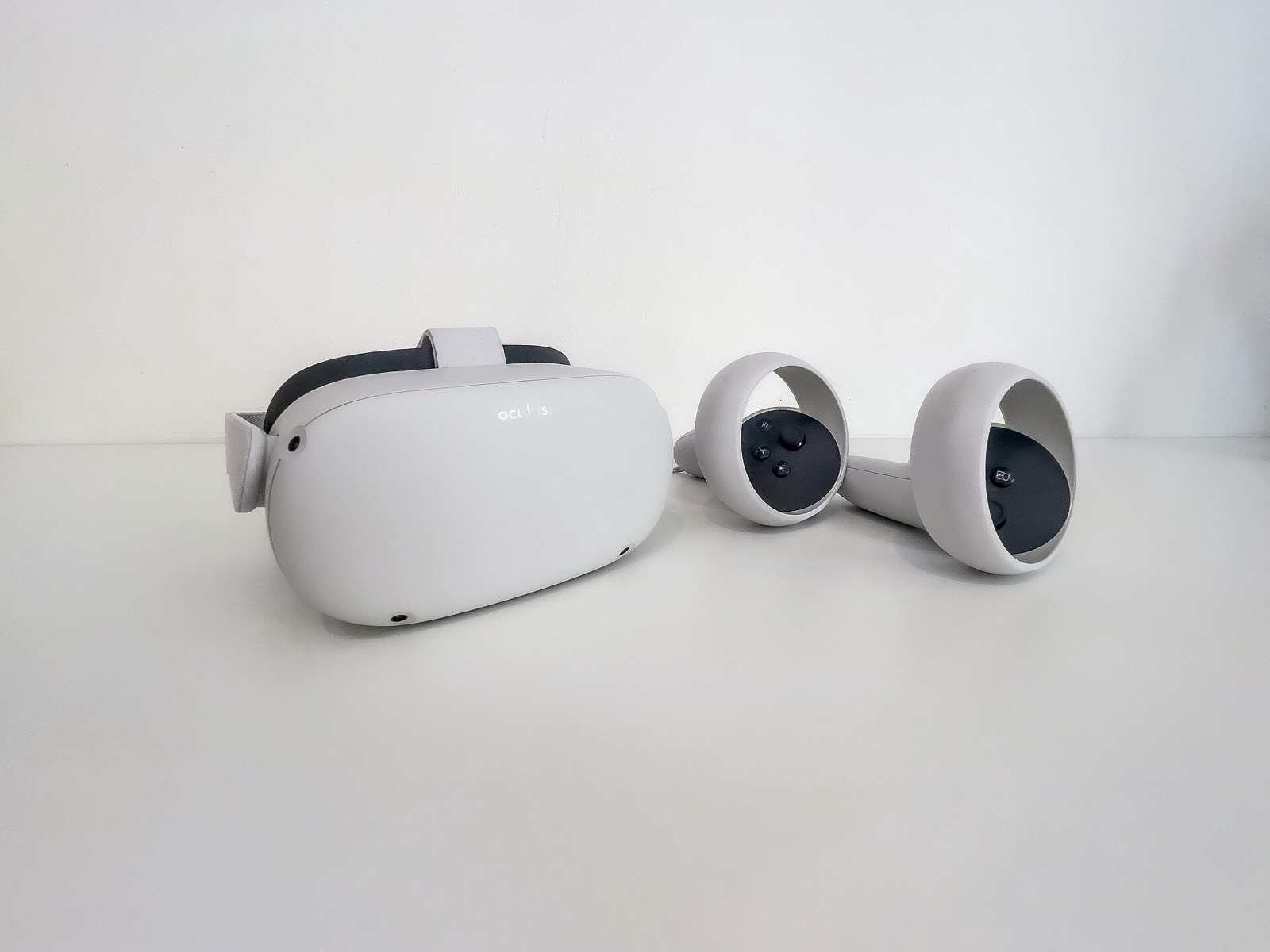
- Meta Quest 3 or 3S in Developer Mode for Capri Room, the separate APK.
A microphone only matters for voice chat and calls; typing to her works without one. Full detail on the requirements page.
Download v0.8.6.1: files and SHA-256
Published November 8, 2026, 01:10 UTC. On Windows you need only Capri-Setup.exe. The Mac and Linux files here carry the 0.8.6 build, as the release notes say; SHA256SUMS.txt covers every file.
| File | For | Size | SHA-256 | |
|---|---|---|---|---|
Capri-Setup.exe | Windows installer | 21.9 MB | 6da7713f976b662b3e1a13162ff0b8cdc10307b8e804244590370bf5fe7afb5b | GitHub |
Capri.exe | Windows, no installer | 21.7 MB | 25f58e2929f948ec66d1a33d37fdacb29204182c9fe9589e2b05af253f361c96 | GitHub |
Capri-mac-apple-silicon.zip | macOS Apple silicon | 59.2 MB | 60b68146a6ec44472c7cf334c58e310a870c3f7bc8ea8863ddf5e1fef1148573 | GitHub |
Capri-mac-intel.zip | macOS Intel | 61.4 MB | a80d5e6beace1e24cb704c56bbabe98abf185fae9be73bb2e753341d6bd67bac | GitHub |
Capri-linux-x64.AppImage | Linux AppImage | 51.7 MB | 184aa84cf08dfc40400b7fad5c8761b20c4d528b693dda7fd51fa67a96a298bd | GitHub |
Capri-linux-x64.tar.gz | Linux tarball | 54.2 MB | 0ea4cadffdbdfbada4c68c24ba655bd674df020d2da383a7b377ccb102116afa | GitHub |
Capri-VR-Quest.apk | Meta Quest 3 / 3S | 97.1 MB | 001c9aacedd9a2da90fff2a2be41f2a798772c4db43be88fd8f83208bcb453fe | GitHub |
SHA256SUMS.txt | Checksum list | 596 bytes | ff174f028d170cb8d481d8aa455e4277bdaa88eeda96e5d33306f69e47af9b93 | GitHub |
What’s new in v0.8.6.1
- 0.8.6.1, a see-through file editor: the panel where you edit
personality.mdandme.mdis now dark glass with red text, styled after Cyberpunk 2077’s Arasaka ID panel (Windows). Mac and Linux keep 0.8.6’s files. - “Play” means play (0.8.6): say “play Bloons TD 6” and she opens the game, picks a mode and keeps playing until you say stop or press Esc. Give her an end, like one round or 10 minutes, and she stops there. “Play Blinding Lights” still plays the song.
- A new stand by her artist (0.8.6): a 24 fps idle facing left or right. If it broke a skin, Mainframe › Settings › CAPRI › Legacy stand brings back the 0.8.5 one.
- Listen for Capri keeps listening (0.8.6): once you have said her name, she listens for 20 more seconds.
- Her ears download again (0.8.5.1): the speech-recognition download broke for every copy on November 7; she now fetches the same files from the project’s own copy.
Before that, 0.8.5 kept personal details out of her memories, let call mode hear any app and brought Capri VR 1.0.5; 0.8.4 added game skills, Mainframe colours and the Linux AppImage; 0.8.3 was “the huge update” with calls, mods, Capri VR and the Mac/Linux Mainframe. Full changelog
Install in four steps
- Download
Capri-Setup.exeand check its SHA-256 with the checker above. - Run it. If SmartScreen shows “Windows protected your PC”, choose More info, then Run anyway, once the checksum matched.
- Give her a brain. In the Capri Mainframe press Set up her brain, or Free key for a free NVIDIA key.
- Say hi. Click the pencil to type or the wave to talk. She asks what to call you and keeps it in
me.md.
On a Mac, unzip, move Capri to Applications and run xattr -dr com.apple.quarantine /Applications/Capri.app once. The full install guide covers Linux, updates and where her files live.
Windows, Mac, Linux and Quest
Windows is the main platform; Mac and Linux are an early preview that the project calls catching up, and the Quest version is a separate app built on its own.
| Platform | Status | What works |
|---|---|---|
| Windows 10 / 11 | Full | Everything: voice chat, “Hey Capri”, call mode (beta), her own cursor, mini games, clips, mini player, code mods, self-installing updates. |
| macOS 15+ | Preview | Mainframe, chat, memory, screen watching, apps and music, mods and skins, Code/Husk Mode. No voice chat, calls or code mods yet; not notarized. |
| Linux x86_64 | Preview | Same as Mac. AppImage since 0.8.4, KDE Wayland window support since 0.8.5. On other Wayland desktops she sits on the bottom of the screen. |
| Meta Quest 3 / 3S | Capri Room | Separate APK by fadievr: she walks around your room, sits on furniture and talks through the headset. Capri VR 1.0.5 came with 0.8.5. |
| Phone | Not yet | Capri Remote, texting her from your phone, is a password-protected tester pre-release; 0.8.7 is due to replace it. |
Known issues people report most are on the troubleshooting page, drawn from the 126 open issues and pull requests on GitHub.
What she can do
On your desktop
- Perches on windows, icons and the taskbar
- Sways to your music, naps when you are away
- Head pats, check-ins, clones and chaos mode
- Sizes from Tiny to Giant
Talking
- Type or voice chat, “Hey Capri” wake word
- Answers in 80 languages
- Her free local voice, or ElevenLabs, Fish Audio, OpenAI
- Remembers you in
me.md
Doing things
- Opens apps, plays music, closes tabs
- Clicks through jobs with her own cursor
- Reminders, timers, mini games
- Joins Discord calls and covers for you
Making her yours
- Mods directory: skins, colour sets, skills
- Edit her
personality.md - Code/Husk Mode for Claude Code, Codex, OpenCode
- Capri Room on Meta Quest
Guides: all features · mods and skins · Capri VR · fixes · En español: guía de Capri Desktop · Em português: guia do Capri Desktop
Frequently asked questions
What is Capri Desktop?
Capri Desktop (lachydotmcg/capri-desktop) is a free desktop companion: an animated character who sits on your windows, talks back by text or voice, joins your calls, plays games with you and does jobs on your PC. The README sums it up as “she sits on your windows, talks back, joins your calls, plays your games and gets into everything.” The latest release is v0.8.6.1, published November 8, 2026.
Is Capri Desktop free?
Yes. Capri is free under the PolyForm Noncommercial 1.0.0 licence: you may use, share and change her for anything non-commercial, but not sell her. Her brain can run free too, with the free NVIDIA key the Mainframe offers, a free Gemini or OpenRouter key, or a model on your own PC. Paid keys (OpenAI, Claude, DeepSeek, ElevenLabs) are optional.
Where do I download Capri Desktop safely?
The README names only two places: capriai.app and the GitHub Releases page of lachydotmcg/capri-desktop, and says copies on other sites are not the project’s. The current Windows file is Capri-Setup.exe (21,942,272 bytes, SHA-256 6da7713f976b662b…). Every button on this site opens those exact GitHub files.
Does Capri Desktop work on Mac and Linux?
Yes, as a preview. Since 0.8.3 Mac and Linux get the full Capri Mainframe, chat, memory, screen watching, app control, music control, mods and Code/Husk Mode. Voice chat, calls and code mods are still Windows only. macOS needs version 15 or newer and a one-line Terminal command because the app is not notarized yet.
Is there a Capri VR version?
Yes. Capri Room, made by fadievr, is a mixed-reality version for Meta Quest 3 and 3S, shipped as Capri-VR-Quest.apk (97.1 MB). You sideload it with SideQuest or Meta Quest Developer Hub. See Capri VR setup.
Why does Windows or my antivirus warn about Capri?
Capri is new and not code-signed, so SmartScreen may warn, and some antivirus engines have flagged Capri-Setup.exe as a generic “Wacatac” trojan (#146, #148, #194). Reporters confirmed their hashes matched the release. The project points to its SECURITY.md and is working on clearer explanations (#201). Check the SHA-256 first; the decision to run it is yours.
Does Capri send my data anywhere?
The README says “zero telemetry: the app sends us nothing.” Her chats, memories and what she saw on your screen are kept on your PC. If you pick a cloud brain or a cloud voice, what you say goes to that provider, under its own terms.
Is Capri Desktop on itch.io?
The project does not list an itch.io page: the README names only capriai.app and GitHub. If you find Capri on another site, compare its SHA-256 with the tables here before running it.