Capri VR for Meta Quest
Capri Room puts her in your real room on a Quest 3 or 3S: what she does there, how to sideload the APK, and every APK so far.
- Quest 3 / 3S
- By fadievr
- 97.1 MB APK
- Developer Mode
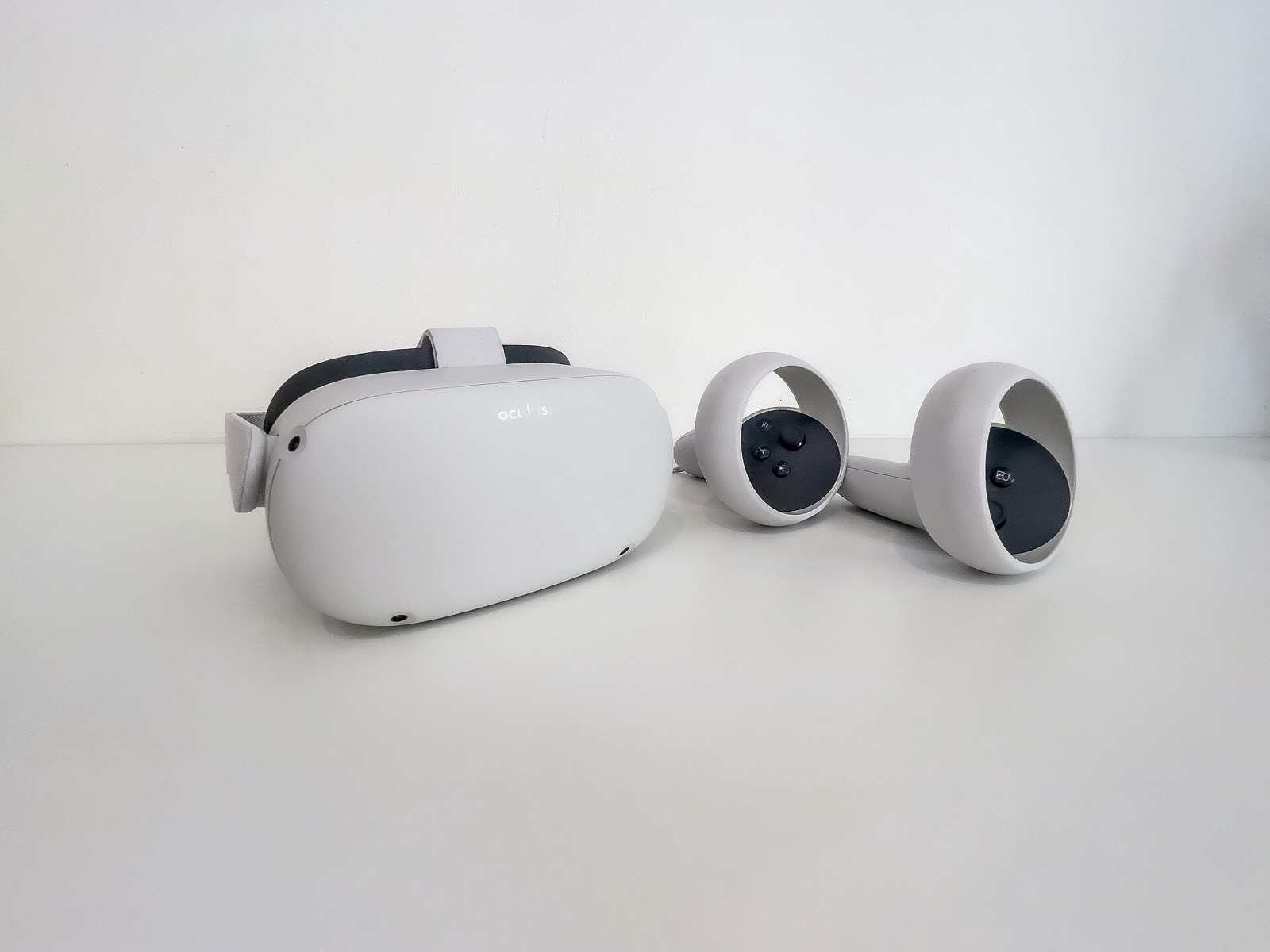
Capri Room is Capri’s mixed-reality version for Meta Quest 3 and 3S, made by fadievr and shipped with the desktop releases since 0.8.3 as a separate file, Capri-VR-Quest.apk. It runs on the headset by itself, with its own brain and voice settings.
What she does in your room
- Walks around your real room and sits on the edges of your furniture.
- Naps when you ignore her; two ways to rest since 1.0.5, lying along a ledge or sitting, with her mouth moving in both.
- Reacts when you pet, poke, grab or throw her. Pats need your hand going side to side over her head; pokes need a quick jab. Hand tracking uses your palm and fingertip.
- Talks with you through the headset, and does voice commands at once: “Lay by me”, “Sit by me”, “Lay down”, “Stand up”, “Come here”.
Install Capri Room on Quest
- Turn on Developer Mode for your Quest: sign up as a developer with Meta, then switch Developer Mode on in the Meta Horizon app for your headset.
- Download
Capri-VR-Quest.apk(97.1 MB) from the latest GitHub release and check its SHA-256:001c9aacedd9a2da90fff2a2be41f2a798772c4db43be88fd8f83208bcb453fe. - Install it with SideQuest or Meta Quest Developer Hub, with the headset connected to your computer by a USB-C data cable.
- In the headset, open Library › Unknown Sources › Capri Room and allow spatial data and the microphone.
- Press Y for her settings and give her a brain and voice key. They stay on your headset.
The full notes are in quest/README.md in the Capri repository, and fadievr’s own source is fadievr/capri-BD-VR (the README still calls it capri-room, its earlier name).
Gear for Capri Room
The headset has to be a Quest 3 or 3S, and sideloading needs a USB-C cable that carries data, not just charge. These match what the README names:
- Meta Quest 3S 128GB: the lower-priced headset Capri Room supports.
- Meta Quest 3 512GB: the other supported headset, with sharper lenses.
- Syntech 16 ft USB-C link cable for Quest 3/3S: a long USB-C data cable for SideQuest or Meta Quest Developer Hub.
As an Amazon Associate, this site earns from qualifying purchases.
Every Capri VR APK so far
6 desktop releases carry the APK. The newest is the one to install; older ones are listed to identify a file you already have.
| Release | Published | Size | Downloads | SHA-256 |
|---|---|---|---|---|
v0.8.6.1 | November 8, 2026 | 97.1 MB | 262 | 001c9aacedd9a2da90fff2a2be41f2a798772c4db43be88fd8f83208bcb453fe |
v0.8.6 | November 7, 2026 | 97.1 MB | 15 | 001c9aacedd9a2da90fff2a2be41f2a798772c4db43be88fd8f83208bcb453fe |
v0.8.5.1 | November 7, 2026 | 97.1 MB | 99 | 001c9aacedd9a2da90fff2a2be41f2a798772c4db43be88fd8f83208bcb453fe |
v0.8.5 | November 7, 2026 | 97.1 MB | 85 | 001c9aacedd9a2da90fff2a2be41f2a798772c4db43be88fd8f83208bcb453fe |
v0.8.4 | November 5, 2026 | 89.7 MB | 303 | 73f3187ca19c35fa4595fafd960cf7aa03466640f47c29840dfdeb219ae1e732 |
v0.8.3 | November 5, 2026 | 89.7 MB | 228 | 73f3187ca19c35fa4595fafd960cf7aa03466640f47c29840dfdeb219ae1e732 |
What Capri VR is not
- Not a PCVR or SteamVR app: there is no build for Index, Vive or Quest Link.
- Not on the Meta Horizon Store: it is installed through Developer Mode.
- Not an Android phone app: the APK is for the Quest only. Capri Remote, texting her from a phone, is a separate tester build.

Frequently asked questions
What is Capri VR?
Capri VR is Capri Room, a mixed-reality version of Capri for Meta Quest 3 and 3S, made by fadievr. She walks around your real room, sits on the edges of your furniture, naps when you ignore her, reacts when you pet, poke, grab or throw her, and talks with you through the headset.
Which headsets does Capri VR support?
The README names Meta Quest 3 and Quest 3S. Older Quest models and other headsets are not listed. It is a standalone APK for the headset; there is no SteamVR or PCVR build.
How do I install the Capri VR APK?
Turn on Developer Mode for your Quest, download Capri-VR-Quest.apk from the GitHub release, install it with SideQuest or Meta Quest Developer Hub over USB, then open Library › Unknown Sources › Capri Room in the headset and allow spatial data and the microphone.
Do I need the desktop app for Capri VR?
No. Her brain and voice keys are set in the headset itself: press Y for her settings. The keys stay on your headset.
What voice commands does Capri VR understand?
Capri VR 1.0.5 (shipped with 0.8.5) answers “Lay by me”, “Sit by me”, “Lay down”, “Stand up” and “Come here” right away. If she is sulking she will not listen until you say sorry.